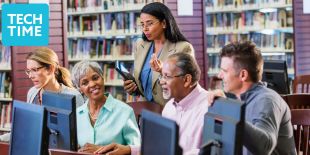
Learn how to use a computer in this drop-in class. We meet every Wednesday at 12–1 p.m.
Topics change from week to week and may include:
- Using a mouse and keyboard
- Building typing and mouse skills through guided activities and games
- Using a web browser and navigating websites
- Searching the internet
- Understanding downloads, links, tabs, and the address bar
- Creating, saving, and finding documents and files
- Learning about online and public Wi-Fi safety
- Using free library websites and digital resources
No computer experience is needed. We practice together step-by-step, and there is time to ask questions and try things for yourself. Learners can attend a single class or return each week to continue building their skills and confidence. On the last Wednesday of each month, take a Northstar Digital Literacy test to show what you’ve learned and get a certificate!
Class Schedule Notice
Please note that the Computer Basics drop-in class will not be held on the following dates due to holidays and library closures:
- Wednesday, November 11, 2026 — Veterans Day (Library Closed)
- Wednesday, November 25, 2026 — Day before Thanksgiving
- Wednesday, December 23, 2026 — Week of Christmas
- Wednesday, December 30, 2026 — Week of New Year’s
Classes will resume as scheduled the following week. Questions? Visit us at The Bridge or call (415) 557-4388.
Tech Time
In-person and online programs to help you explore current technology and navigate the digital world. Sign up for our monthly eNewsletter of upcoming classes and events.
Older Adult
Learn and live well at any age.